

Lingoclip (LyricsTraining): Learn Spanish, English & French With Music Dictation Games
Turn official music videos on YouTube into interactive fill-in-the-blank listening and typing dictation games across 13+ languages.
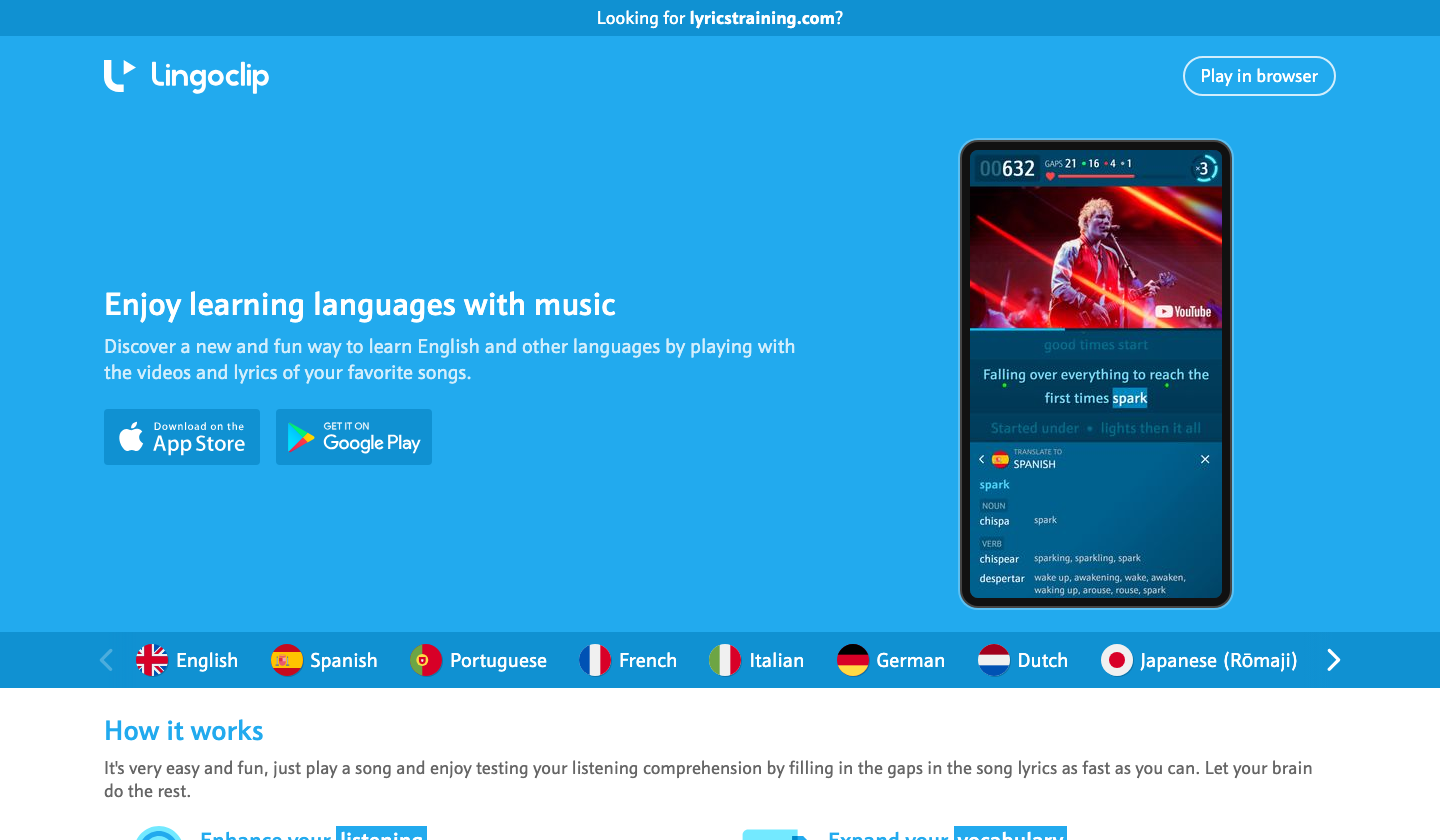
What is Lingoclip (LyricsTraining)?
Lingoclip—widely known by its original web name LyricsTraining—turns official foreign-language music videos hosted on YouTube into interactive listening comprehension and music dictation games. Learners choose from more than 13 languages (including English, Spanish, French, German, Italian, Portuguese, Japanese with Rōmaji support, Korean, Dutch, Turkish, Polish, Swedish, Finnish, and Catalan) and pick one of four difficulty tiers that blank out 10% (Beginner), 25% (Intermediate), 50% (Advanced), or 100% (Expert) of the song's lyrics. Whenever you miss a sung word, Lingoclip automatically pauses the video on that exact line so you can replay the phrase at natural speed until your ear catches the blended syllables. Desktop browser visitors at lingoclip.com can launch ad-supported typing or choice rounds right away without an account, whereas the iOS and Android apps enforce strict rolling cooldown timers after roughly three free songs unless you upgrade to Lingoclip Premium.
How to practice listening dictation with songs on Lingoclip
- Open lingoclip.com in a browser (or launch the Lingoclip iOS/Android app), select your target language from the top menu, and filter songs by musical genre or regional dialect (such as US/UK English or Spain/Latin American Spanish).
- Click a music video and select your difficulty tier: Beginner (10% blanks), Intermediate (25%), Advanced (50%), or Expert (100% full-song dictation), or switch to Karaoke mode to read and sing along without blanks.
- Choose Write Mode on a desktop keyboard for exact spelling recall, or Choice Mode (four-option tap buttons) for faster listening drills on tablets and phones.
- Type or tap each missing word before the line finishes; if the video auto-pauses, hit Backspace/Replay to re-listen to that single line or Pass (`Tab`) to reveal a tricky slang contraction and keep moving.
Four-level lyric gap-fills, auto-pause replay & 13+ languages
Four-tier music dictation gaps (10% Beginner to 100% Expert)
Lets beginners catch isolated chorus keywords at 10% blanks while challenging advanced learners with 50% or 100% rapid-fire verse dictation on the exact same song.
Auto-pause line hold, single-line replay & Karaoke mode
Eliminates manual timeline scrubbing: Lingoclip freezes playback at the end of an unfinished lyric line and replays just that bar with one keystroke, or runs uninterrupted in Karaoke mode.
13+ languages including Spanish, English, French & Japanese Rōmaji
Supports major European and Asian languages with script helpers such as Japanese Rōmaji/Kana input options and regional accent tags on English, Spanish, and Portuguese tracks.
Custom teacher lyric exercises & Write vs Choice modes
Registered users and ESL/Spanish teachers can build custom gap-fill exercises targeting specific verb tenses (for example, preterite verbs or conditionals) and share a direct link with classes.
Lingoclip Web browser vs Free mobile app vs Premium limits
On narrow screens, scroll the table sideways, or focus it and use the arrow keys.
| Capability / limit | Desktop Web (Free) | Mobile App (Free iOS/Android) | Lingoclip Premium |
|---|---|---|---|
| Price & billing | USD 0 (ad-supported browser access) | USD 0 download with in-app round cooldowns | App Store / Google Play regional pricing (typically ~USD 4.99–7.99/month or ~USD 29.99–47.90/year billed via store account) |
| Daily / rolling song play limit | Flexible browser play without the strict 3-song mobile lockout | Capped at ~3 free games before a waiting timer (~30 min) or upgrade prompt | Unlimited daily song games across mobile & web |
| Game modes (Write, Choice & Karaoke) | Full keyboard Write Mode, Choice Mode & Karaoke across 4 difficulty levels | Primarily tap-based Choice Mode & Karaoke optimized for touchscreens | All modes unlocked ad-free |
| In-lyric word translation & saved vocabulary | Basic playback & custom exercise creation (with free login) | Capped free word translations per session | Unlimited inline word/phrase translations, saved vocabulary lists & full play history |
| Ads & classroom projection | Display ads around player; works immediately on classroom projectors | Interstitial ads between free rounds | Ad-free interface |
Use cases
- Sharpen fast connected-speech listening in Spanish, French, or English with 5-minute daily song dictation warm-ups
- Create custom ESL or world-language classroom song links that blank out only the target grammar tense or unit vocabulary
- Practice Japanese anime/pop songs or Korean tracks in a desktop browser using Romanized or native keyboard input
Who is it for?
Self-directed language learners and world-language/ESL teachers who want energetic, short-burst listening dictation built around real music videos.
Before you choose
- What to bring
- A target language (from 13+ options), a song genre you enjoy, and either a desktop keyboard (for Write Mode) or mobile touchscreen (for Choice Mode).
- What you get
- A 3-to-5-minute interactive lyric dictation workout scored on timing, streaks, and accuracy, with instant single-line audio replay on missed words.
- What to check
- Note the sharp Web vs App difference (mobile free play locks after ~3 songs on a cooldown timer, whereas desktop web is far looser), and check song lyrics beforehand for classroom age appropriateness.
Choose Lingoclip when your goal is training your ear to decode fast sung lyrics through typing or multiple-choice blanks. If you want to sing out loud into a microphone with pitch and vocal coaching rather than type missing words, try Sing with Canary. To look up how spoken words sound across 100M+ non-musical talks, pair it with YouGlish, or switch to Trancy and Language Reactor in our learning tools guide for bilingual subtitles on full Netflix and YouTube shows.
Limitations & Web vs App differences to know first
- Free iOS and Android users hit a rolling ~3-song play cap followed by a waiting timer, making desktop browsers much smoother for unpaid study sessions.
- Poetic license, stretched vowels, and slang grammar in pop songs do not always match standard spoken intonation—supplement with spoken clips on YouGlish.
- Because videos stream from official YouTube music channels, occasional tracks become unavailable due to regional Vevo/label blocks or school YouTube filters.
- Community-synced transcripts focus on listening recall rather than structured grammar explanations or spaced-repetition flashcard scheduling.
Questions about Lingoclip (LyricsTraining)
Did LyricsTraining change its name to Lingoclip?
Yes. LyricsTraining rebranded its web platform and mobile apps under the name Lingoclip (at lingoclip.com), while keeping the same music-video gap-fill game mechanics, user accounts, and legacy redirects from lyricstraining.com.
Why is Lingoclip free on a computer browser but limited on the phone app?
Lingoclip funds its desktop website primarily through page display ads, allowing much looser free browser play. On iOS and Android, the free tier acts as a metered trial—capping play after roughly three songs until a cooldown timer resets or you purchase Lingoclip Premium.
Which languages can you practice on Lingoclip?
Lingoclip offers song catalogs in more than 13 languages, led by English, Spanish, French, German, Italian, Portuguese, Japanese (with Rōmaji/Kana options), Korean, Dutch, Turkish, Polish, Swedish, Finnish, and Catalan.
Can teachers create custom fill-in-the-blank song exercises for students?
Yes. Signing into a free account on the web lets teachers sync lyrics or customize which specific words are blanked out in an existing music video, generating a shareable exercise URL that students can play in a browser.
Official & primary sources: Lingoclip official web platform ↗ · Lingoclip English song catalog ↗ · LyricsTraining legacy portal ↗ · Checked Nov 21, 2026
Have a website to share?
See how listing works ↗