

TablePlus: Native PostgreSQL, MySQL & SQLite GUI — 2-Tab Free Limit & Perpetual License
Query, edit, and safeguard PostgreSQL, MySQL, SQLite, Redis, and SQL Server in a fast native GUI—free forever up to 2 tabs/windows or $99 one-time.
What is TablePlus and why do developers prefer its native GUI?
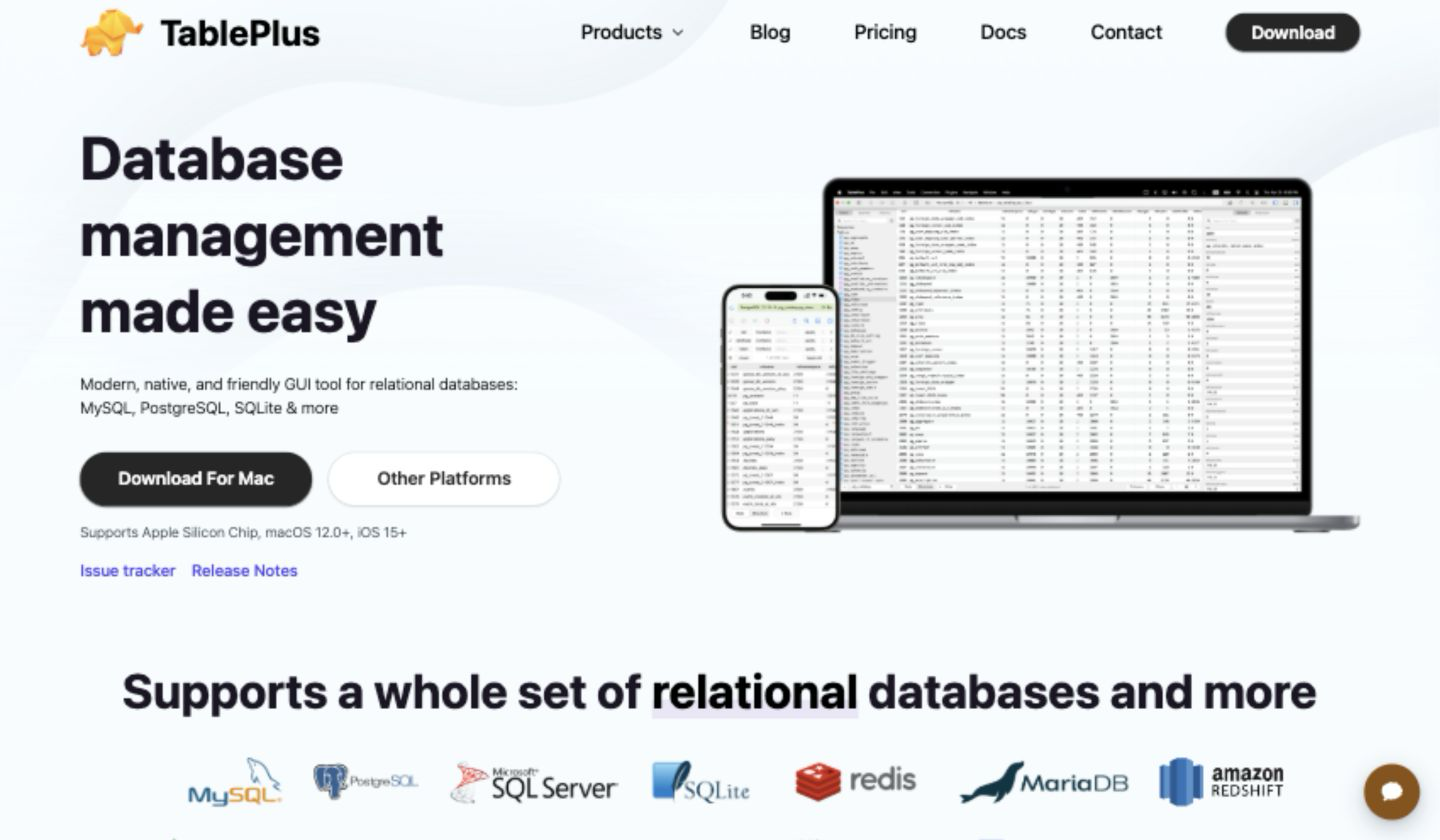
TablePlus (tableplus.com) is a fast, native database GUI client for macOS (Swift/Objective-C), Windows, Linux, and iOS. Skip heavy Java virtual machines and laggy Electron wrappers: TablePlus opens in under a second. One workspace connects to PostgreSQL (Supabase, Neon, RDS), MySQL, MariaDB, SQLite, Microsoft SQL Server, Redis, ClickHouse, DuckDB, and CockroachDB. Its free version works forever with no account or card required, capped at 2 open windows and 2 open tabs at once (plus 2 filters on macOS and Linux). When you outgrow two tabs, perpetual one-time licenses start at USD 99 for Basic, covering 1 computer plus 2 iOS devices with 1 year of updates.
How to connect, inspect & safely commit SQL edits in TablePlus
- Download TablePlus for macOS, Windows, or Linux. Paste a Postgres or MySQL URL, open a local SQLite file, or connect through built-in SSH tunneling with SSL/TLS.
- Color-code each connection badge (green for staging, red for production) and enable Safe Mode, so accidental edits cannot run immediately on live tables.
- Filter rows, edit cells inline like a spreadsheet, or run queries in the SQL editor. Check the exact generated SQL diff in Code Review before clicking Commit.
- Keep using the $0 Free build if 2 windows and 2 tabs fit your routine. Otherwise, activate a $99 Basic or $129 Standard key, and move seats anytime in License Manager.
Postgres/SSMS Mac support, Safe Mode SQL diffs, SSH & License Manager
Sub-second native client for Postgres, SQLite, Redis & SQL Server on Mac
Connects natively to PostgreSQL, MySQL, SQLite, Redis, ClickHouse, DuckDB, and Microsoft SQL Server—making it a popular lightweight alternative to pgAdmin and Windows-only SQL Server Management Studio (SSMS) on MacBooks.
Inline spreadsheet editing with Safe Mode & SQL Code Review
Lets you double-click cells, add columns, or alter table structures visually while staging every change locally until you verify the generated UPDATE, INSERT, or ALTER TABLE statements.
Built-in SSH bastion tunneling, TLS/SSL & smart SQL query editor
Tunnels through SSH jump hosts without external terminal scripts, enforces SSL/TLS certificates, formats messy SQL queries, and splits query results into clean tabs.
Pay-once perpetual license + self-serve License Manager & iOS seats
Includes self-service seat deactivation inside TablePlus License Manager when upgrading computers, plus complimentary iPhone and iPad activations (2 mobile devices per seat) while updates are active.
TablePlus Free (2-tab cap) vs $99 Basic, $129 Standard & $79/seat Team
On narrow screens, scroll the table sideways, or focus it and use the arrow keys.
| Plan / entitlement | Free Version ($0) | Basic Perpetual ($99) | Standard ($129) & Team ($79/seat) |
|---|---|---|---|
| Price & billing model | USD 0 forever — no trial countdown, no signup required | USD 99 one-time purchase (no auto-renewal; 7-day refund) | Standard: USD 129 once (saves 35%); Team: USD 79/seat once (min 3 seats = $237) |
| Open windows, tabs & filters | Max 2 windows + 2 tabs open at once; 2 filters on Mac/Linux (0 filters on free Windows) | Unlimited windows, tabs, connections & advanced column filters on all OSes | Unlimited windows, tabs, connections & advanced filters across all seats |
| Desktop & iOS device seats | Use on your computer within the 2-tab / 2-window limit | 1 computer (Mac, Windows, or Linux) + 2 iPhones/iPads during active updates | Standard: 2 computers + 4 iOS devices; Team: 1 computer + 2 iOS/seat (extra device $79) |
| Updates & device migration | Public releases (free limits may change in future builds) | 1 year updates included; keep using forever after yr 1 (optional renewal $59/device) | 1 year updates + self-serve License Manager; Team adds wire transfer & hot-patch builds |
| Supported OS & databases | macOS 12+ (Intel/M-series), Windows (.NET 4.8), Linux | PostgreSQL, MySQL, MariaDB, SQLite, SQL Server, Redis, ClickHouse, DuckDB | Full multi-engine driver suite + SOC 2 security compliance |
Use cases
- Inspect and patch cloud PostgreSQL databases on Supabase, Neon, Railway, or AWS RDS without slow browser table viewers
- Open a local SQLite / LibSQL file alongside a Redis cache window on the $0 forever-free tier during full-stack web builds
- Connect from an Apple Silicon MacBook to corporate Microsoft SQL Server or MySQL instances behind an SSH bastion host
Who is it for?
Full-stack web developers, indie makers, and backend engineers who want one ultra-fast native GUI across PostgreSQL, MySQL, SQLite, Redis, and SQL Server without paying recurring monthly subscriptions.
Before you choose
- What to bring
- Connection credentials, connection URL, or local file path for PostgreSQL, MySQL, SQLite, Redis, SQL Server, or ClickHouse (with optional SSH jump host).
- What you get
- Fast spreadsheet-style row inspection, staged SQL diff previews before writes, and exported CSV/JSON/SQL dumps.
- What to check
- Verify whether 2 open tabs and 2 windows (and 0 filters on free Windows) fit your daily workflow before paying $99, and note that perpetual licenses bundle 1 year of updates ($59 optional renewal later).
Choose TablePlus when you want instant native startup, Safe Mode production guards, and one clean UI across Postgres, SQLite, Redis, and SQL Server without a recurring subscription. If you rarely open more than two tables at once, its $0 free version may be all you need; for heavy enterprise ER diagrams and PL/SQL stored-procedure debugging, compare Java IDEs like DBeaver or DataGrip. Pair TablePlus with native macOS companions in Development tools—such as Proxyman for inspecting HTTP/HTTPS API payloads and DevUtils for offline JWT, JSON, and SQL formatting.
2-tab ceiling, Windows filter restriction & 1-year update window
- Strict 2-tab / 2-window ceiling—and no filters on free Windows: the $0 version never expires, but opening a third tab or window prompts for a license, and column filters are completely unavailable in the free Windows edition (macOS/Linux free builds allow 2 filters).
- Perpetual ownership vs 1-year update window: your $99 Basic or $129 Standard license lets you run your installed version forever, but receiving new updates after 12 months costs an optional $59/device (and bundled iOS access applies while updates remain active).
- Lighter enterprise modeling than Java database IDEs: TablePlus focuses on speed, clean inline editing, and raw SQL rather than sprawling ER diagram builders, visual query designers, or stored-procedure step debuggers.
- macOS-first engineering cadence: because TablePlus began as a native macOS Swift/Objective-C client, brand-new UI polish and occasional plugin drivers land on macOS slightly ahead of the Windows and Linux builds.
TablePlus free tier, SSMS Mac alternative & seat transfer FAQ
Is TablePlus really free forever, and what are the exact free tier limits?
Yes. TablePlus has no 14-day or 30-day countdown—you can use the free build indefinitely without creating an account. On macOS and Linux, the free tier caps you at 2 open windows, 2 open tabs, and 2 advanced filters at a time; on the free Windows version, filters are disabled.
How does TablePlus perpetual licensing work across Mac, Windows, and iPhone/iPad?
One license key works across macOS, Windows, and Linux. Basic ($99 one-time) activates 1 computer seat, and Standard ($129 one-time) activates 2 computer seats. While your 1-year update window is active, each seat also unlocks TablePlus on 2 iPhones or iPads at no extra cost. After year one, you keep the desktop app forever or optionally renew updates for $59/device.
Can TablePlus replace SQL Server Management Studio (SSMS) or pgAdmin on a MacBook?
For everyday querying, schema inspection, SSH tunneling, and safe row edits, yes. Because Microsoft SQL Server Management Studio (SSMS) has no native macOS app and pgAdmin runs inside a heavy browser wrapper, many Mac engineers use TablePlus as a fast native client for both PostgreSQL and SQL Server.
How do I transfer my TablePlus license key when I buy a new computer?
Open the official TablePlus License Manager in your browser using the email address tied to your purchase. From there you can recover a lost license key, unlink an old or wiped laptop in one click, and activate the freed seat immediately on your new Mac, Windows PC, or Linux machine.
Official & primary sources: TablePlus Official Homepage & Supported Databases ↗ · TablePlus Official Pricing, Free Tier Limits & Licensing FAQ ↗ · TablePlus Self-Serve License Manager ↗ · Checked Nov 24, 2026
Related website guides
Have a website to share?
See how listing works ↗