

TinyDesk AI Overview
Place your photos into concert-band seats and generate a 15-second vertical performance video.
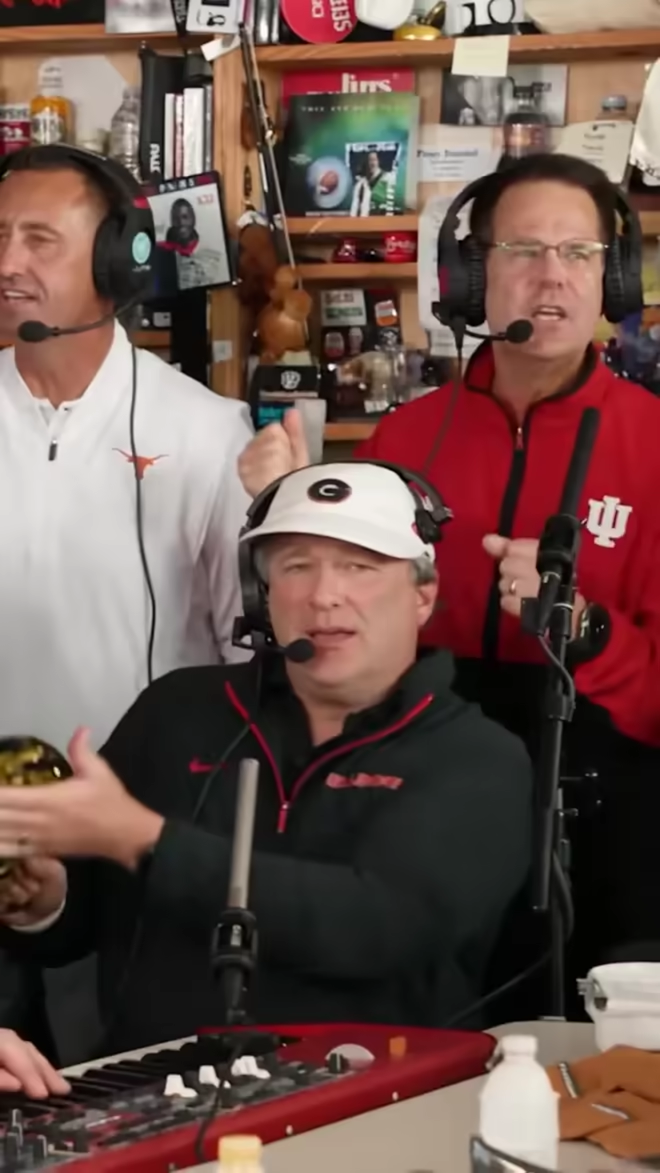
What is TinyDesk AI?
TinyDesk AI turns photos into a short desk-concert style video. Upload a photo for the lead singer and optionally replace other performers. Seats without an uploaded photo retain the template performer, while the set and camera movement follow the selected template.
How to use TinyDesk AI
- Upload a clear adult portrait for the lead singer and any optional seats.
- Choose a template and either 480p or 720p output.
- Confirm photo permission, generate the video, and download it.
Core features
Seat selection
Use up to five photos depending on the template.
Short vertical output
Export a 15-second MP4 for mobile viewing.
Credit packs
Generation uses purchased credits; quality determines the credit cost.
Use cases
- Make a playful birthday clip with an agreed portrait.
- Put consenting friends into a virtual band.
- Try a concert-style introduction for a social post.
Who is it for?
Adults creating playful performance clips with authorized photos. This is an independent tool, not an official NPR product.
Before you choose
- What to bring
- Authorized adult portraits for the performers you want to replace.
- What you get
- A 15-second vertical performance video.
- What to check
- Check template seats, output quality and the required paid credits.
Read the Tiny Desk idea breakdown before choosing portraits. AI Tiny Desk Meme is another tool for this theme; compare how each assigns photos to performers.
Ideas to explore with this tool






















Have a website to share?
See how listing works ↗