
Gimkit: Live Classroom Strategy Games, 2D Modes & Gimkit Pro Limits
Host live classroom quiz games where students earn virtual cash or movement energy across 2D multiplayer maps like Fishtopia and Snowbrawl.
What is Gimkit?
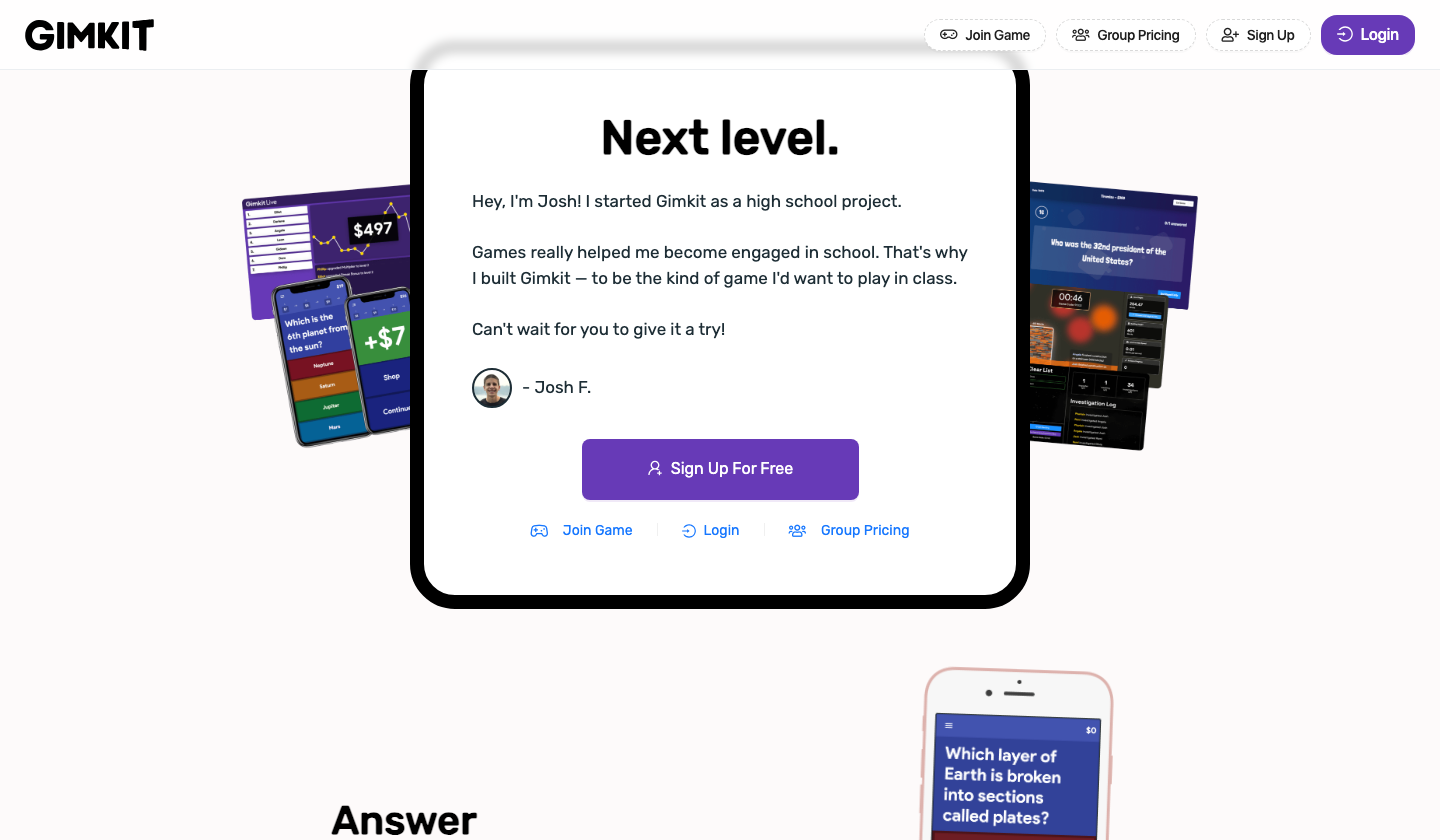
Originally created by a Seattle high school student who wanted classroom review games with real strategic depth, Gimkit turns teacher question sets (called Kits) into fast-paced economic and 2D multiplayer games. Correct answers earn virtual cash or movement energy that students reinvest in per-question multipliers, streak insurance, or top-down team objectives in modes like Fishtopia, Snowbrawl, Don't Look Down, and Trust No One. Students join live lobbies at gimkit.com/join with a numeric game code and no student email required. On the $0 Gimkit Basic tier, teachers can host full-class games in whichever featured modes are currently in the free rotation, while non-featured catalog modes cap at 5 players and asynchronous homework Assignments stay locked until you upgrade to Gimkit Pro ($59.88/year or $14.99/month).
How to host Gimkit Live or student-coauthored Kits
- Sign into a free educator account on gimkit.com and build a Kit from scratch, import questions via CSV spreadsheet or Quizlet-style text, pull from the Question Bank, or turn on KitCollab so students submit one question each.
- Click Play Live and check the mode picker: free Basic accounts should select one of the currently featured free-rotation modes for full-class play (non-featured Pro modes stop at 5 players).
- Set the round timer or cash/score goal, configure nickname safety filters, and project the 6-digit join code or QR link at gimkit.com/join on your classroom whiteboard.
- Students answer cycling review questions to fund upgrades or recharge 2D movement energy; inspect the post-game report afterward to spot the lowest-accuracy questions for reteaching.
In-game economy, 2D map modes, KitCollab & Gimkit Creative
In-game cash upgrades & high-repetition mastery
Classic cash modes cycle through your Kit repeatedly during a 10-minute match, motivating students to master missed vocabulary or math facts quickly so they can afford higher tier multipliers and streak bonuses.
2D multiplayer worlds (Fishtopia, Snowbrawl & Gimkit Creative)
2D modes let up to 60 avatars walk around shared maps—fishing, throwing snowballs, platforming, or solving mysteries—using energy earned exclusively by answering curriculum questions, plus custom maps built in Gimkit Creative.
KitCollab live student question authoring
Before the match begins, students join a lobby and submit their own multiple-choice questions from class notes; the teacher approves or rejects submissions in real time to assemble a fresh class-built review deck in five minutes.
Gimkit Pro homework Assignments, audio & image uploads
Upgrading to Gimkit Pro unlocks self-paced homework Assignments (graded automatically when students hit a target cash/question goal) along with direct image uploads and voice recording for language or diagram questions.
Gimkit Basic (Free) 5-player rule vs Gimkit Pro limits
On narrow screens, scroll the table sideways, or focus it and use the arrow keys.
| Capability / limit | Student Player (Join) | Gimkit Basic (Free) | Gimkit Pro |
|---|---|---|---|
| Price & billing | USD 0 (joins at gimkit.com/join) | USD 0 | USD 59.88/year billed annually (~USD 4.99/mo) or USD 14.99/month billed monthly; Department/School group plans (~USD 650–1,000/yr) |
| Game modes & the 5-player rule | Follows host's selected mode | Full-class access ONLY on currently featured rotating modes; all non-featured modes cap at 5 players | Unlocks the entire catalog of 2D & classic modes year-round with full player capacity |
| Maximum live players per lobby | 1 browser tab per student | Featured 2D modes: up to 60 players; Featured classic modes: up to 500 players | 2D map modes: hard cap of 60 players; Classic & other live modes: up to 500 players |
| Asynchronous homework Assignments | Completes Pro teacher links | Not included on Basic (live synchronous hosting only) | Unlimited self-paced homework Assignments with due dates & automatic target-completion grading |
| Audio/image uploads & Kit creation | Submits text items in KitCollab | Unlimited text Kits, CSV import & KitCollab; no custom audio/image uploads | Full custom image uploads & direct audio recording inside questions |
Use cases
- Energize Grade 5–12 foreign-language vocabulary, chemistry symbols, or history dates with 12-minute high-repetition cash or 2D team matches
- Run a zero-prep Friday review by letting 30 students co-write the quiz deck in KitCollab before launching the game
- Use Pro Assignments to turn monotonous flashcard homework into self-paced target-score challenges synced with student rosters
Who is it for?
Upper-elementary, middle, and high school teachers (Grades 4–12) with 1:1 student laptops or Chromebooks whose classes crave deeper game strategy than simple quiz buzzers.
Before you choose
- What to bring
- A multiple-choice or text-input Kit plus 1:1 student Chromebooks or laptops (2D map modes run smoothest on physical keyboards and Wi-Fi).
- What you get
- A high-repetition live classroom strategy or 2D multiplayer session (plus post-game question accuracy analytics), or an asynchronous homework link on Pro.
- What to check
- If you use the free Basic tier, check which featured modes are in rotation before class—picking a non-featured fan favorite will block the 6th student from joining—and confirm your class is ≤60 students for 2D maps.
Gimkit shines in Grades 4–12 when students enjoy resource management and 2D maps, though its free tier is stricter than Blooket (which gives 60 players across core modes plus 14-day homework at USD 0). For calm, non-arcade exit tickets with 100 free seats and printable QR cards, choose Quizizz (Wayground); if your room has zero student devices, run single-projector team trivia on Baamboozle from our learning tools guide.
Limitations & player caps to check before class
- Non-featured game modes on the free Basic tier stop strictly at 5 players, which catches classes off guard if students beg for an out-of-rotation mode.
- Asynchronous homework Assignments and custom image/audio question uploads are completely locked behind paid Gimkit Pro.
- 2D movement modes enforce a hard technical maximum of 60 players even on paid Pro accounts, and older low-RAM tablets can lag on heavy Gimkit Creative maps.
- Younger K–2 students can spend too much time shopping for upgrades or wandering 2D maps instead of reading questions—simpler tools fit early elementary better.
Questions about Gimkit
Is Gimkit free for a whole classroom, or capped at 5 players?
Both rules exist side by side on Gimkit Basic ($0): Gimkit keeps a rotating set of Featured modes unlocked for full classes (up to 60 players in 2D modes or up to 500 in classic modes), while all other non-featured Pro modes let you test with up to 5 players at a time.
How much does Gimkit Pro cost monthly vs annually?
Individual Gimkit Pro costs USD 59.88/year when billed annually upfront (working out to USD 4.99/month), or USD 14.99/month on flexible month-to-month billing—meaning annual billing costs less than four single months.
What is the maximum number of players in Gimkit 2D vs classic modes?
According to Gimkit's official player-maximum guide, 2D multiplayer map modes (like Fishtopia, Snowbrawl, and Gimkit Creative maps) cap at 60 players per live game, whereas classic non-2D modes support up to 500 live participants.
Can you assign Gimkit as homework on a free account?
No. Asynchronous homework Assignments require an active Gimkit Pro subscription. Teachers who need free self-paced homework links should compare Blooket Starter (14-day homework free) or Quizizz / Wayground Starter.
Official & primary sources: Gimkit official homepage ↗ · Gimkit live student join page ↗ · Gimkit official player maximums documentation ↗ · Checked Nov 22, 2026
Related website guides
Have a website to share?
See how listing works ↗