
Classroomscreen: Free Classroom Timer, Noise Meter & Random Group Generator Board
Combine visual classroom timers, live noise meters, random name pickers, group generators, and QR codes onto one ad-free projector canvas.
What is Classroomscreen?
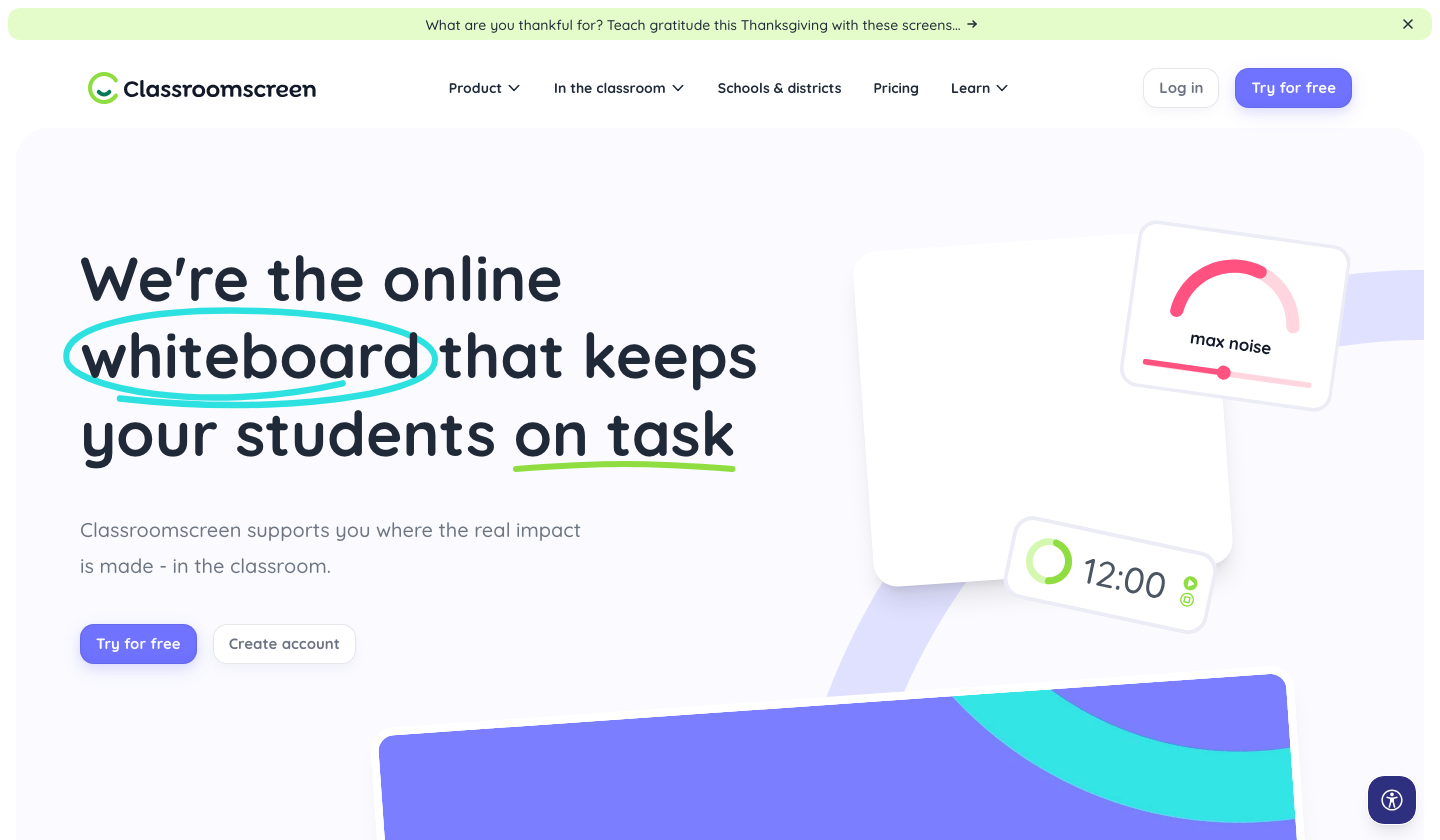
Classroomscreen (classroomscreen.com) is an all-in-one digital classroom management whiteboard that replaces a tangle of separate timer, random wheel, and slide tabs with a single calm front-of-room browser canvas. Clicking Launch now opens a customizable backdrop with a bottom dock of all 26 drag-and-drop widgets—including visual countdown Timers, a live microphone Sound Level noise meter, Randomizer name picker, Group Maker, Traffic Light, Work Symbols (Silence, Whisper, Ask Neighbor, Work Together), Text agenda cards, Drawing board, QR Code generator, Dice, and quick Polls. Unlike freemium tools that lock half their widgets behind a paywall, Classroomscreen unlocks all 26 widgets at USD 0 with zero third-party ads and zero student logins required. Signing up for a free Basic account saves up to 3 student name lists, while Classroomscreen Pro (USD 36/year, billed at USD 3/month annually) lets multi-period teachers save custom screen layouts in Workspaces and store unlimited class rosters.
How to set up a daily projector dashboard on Classroomscreen
- Open classroomscreen.com on the computer connected to your classroom projector or interactive display and click Launch now—no account is required to run a live board.
- Pick a calm landscape, solid color, or animated background, then click icons along the bottom dock to drop a Text morning agenda, a visual Timer, and a Work Symbol onto one screen.
- Paste your class roster into Randomizer to cold-call students without repeats or into Group Maker to divide 30 names into balanced table groups in two seconds; grant mic permission if you want the Sound Level bar to chime gently when chatter spikes.
- Create a free Basic account to keep up to 3 student rosters saved for tomorrow, or upgrade to Pro ($36/year) if you want entire multi-slide lesson boards saved in folders across class periods.
26 free classroom widgets: timers, noise meter & randomizer
All 26 classroom management widgets unlocked free & ad-free
Includes Timer, Stopwatch, Clock, Calendar, Sound Level meter, Traffic Light, Work Symbols, Randomizer, Group Maker, Text, Draw, Image/Video/Webcam embeds, QR Code, Dice, Scoreboard, and Poll at USD 0.
Privacy-safe local classroom noise meter (Sound Level)
Visualizes live room volume against an adjustable max threshold with an optional warning bell; Classroomscreen's privacy documentation states microphone audio is processed locally in your browser and never stored on its servers.
Random Name Picker & instant Random Group Generator
Calls on students with optional 'remember chosen students' fairness tracking and sorts up to 100 names into 2–15 balanced groups on screen in one click.
Pro Workspaces, saved screen decks & unlimited rosters
Upgrading to Pro ($36/year) turns ephemeral boards into persistent slide-like screen collections organized by subject or day, complete with custom theme colors, uploaded backgrounds, and shareable colleague links.
Classroomscreen Guest vs Basic (Free) vs Pro ($36/year) limits
On narrow screens, scroll the table sideways, or focus it and use the arrow keys.
| Capability / limit | Guest (Launch now, no login) | Basic (Free account) | Classroomscreen Pro |
|---|---|---|---|
| Price & trial | USD 0 | USD 0 | USD 36/year (USD 3/month billed annually; 14-day free trial; Organization school licenses available) |
| Access to all 26 classroom widgets | All 26 widgets unlocked & ad-free | All 26 widgets unlocked & ad-free | All 26 widgets + custom color themes & uploaded backgrounds |
| Saving screens across days | Session only (closing the browser tab clears your layout) | One-time screens only (cannot save boards or create Workspaces) | Unlimited saved screens, multi-screen decks, Workspaces, folders & 30-day trash recovery |
| Saved student name lists | Paste names manually per session | Save up to 3 student name lists (up to 100 names per list) | Unlimited saved student name lists for multi-class teachers |
| Remote Poll voting & annotation | Local single-screen clicking | Annotation bar & student join-code Poll voting included | Full Poll voting, saved poll setups & template sharing |
Use cases
- Project morning arrival routines—bell-ringer prompt, 8-minute countdown, Whisper symbol, and resource QR code—on a single clean screen
- Let elementary or middle-school table groups self-regulate discussion volume using the visual Sound Level bar and Traffic Light
- Launch an instant ad-free timer, dice roller, and whiteboard when covering a colleague's room as a substitute teacher with zero login
Who is it for?
PreK–12 classroom teachers, workshop facilitators, and substitute teachers who want a calm, zero-ad projector dashboard for daily pacing, grouping, and noise cues.
Before you choose
- What to bring
- Any computer or tablet connected to a classroom projector or interactive flat panel (plus optional browser microphone permission for the Sound Level meter and up to 3 pasted rosters).
- What you get
- A single distraction-free front-of-room dashboard displaying timers, agendas, work-mode icons, noise feedback, and instant random groups.
- What to check
- Remember that free Basic accounts cannot save custom screen layouts overnight—if you build elaborate multi-widget agendas before school and close Chrome, you need Pro ($36/year) to keep them.
Classroomscreen manages classroom routines, time, grouping, and noise—it is not a curriculum quiz bank. Keep Classroomscreen open on Tab 1 for daily structure, then launch Baamboozle for zero-device team trivia, Wordwall for touch-board vocabulary matching, or Blooket and Quizizz (Wayground) when students open Chromebooks for graded review. See more pairings in our learning tools guide.
Limitations & why free boards reset when you close the tab
- Free Basic accounts cannot save custom screen layouts—closing or refreshing the tab clears your positioned widgets and text boxes unless you pay USD 36/year for Pro.
- Basic accounts cap saved student rosters at 3 name lists, so specialist or departmentalized middle/high school teachers teaching 5–7 sections either paste from a doc or upgrade.
- Contains no curriculum content, auto-graded homework quizzes, or student mastery tracking—it is strictly a live front-of-room visual organizer.
- Requires an active browser connection and accurate laptop microphone placement; rooms where the teacher laptop sits right beside a projector fan may need Sound Level sensitivity calibration.
Questions about Classroomscreen
Are all 26 widgets on Classroomscreen really free without paying?
Yes. Every single widget—including Timer, Sound Level noise meter, Randomizer, Group Maker, Traffic Light, Work Symbols, QR Code, Text, Draw, and Poll—works at USD 0 with zero ads, even without logging in.
What do you actually get by upgrading to Classroomscreen Pro ($36/year)?
Pro buys persistence and organization: you can save custom boards across days, build multi-screen lesson decks organized in Workspaces and folders, store unlimited student name lists (beyond Basic's 3-list cap), upload custom background images, and share board templates with colleagues.
Does Classroomscreen's noise meter record or store classroom audio?
According to Classroomscreen's official data-privacy help center, microphone input used by the Sound Level widget is processed locally inside your device's browser to measure volume levels and is not stored on Classroomscreen's servers.
Do students need devices to use Classroomscreen?
No. Twenty-five of the widgets are projected purely on the teacher's front screen. Only the optional remote Poll mode (if you choose remote voting instead of tap-on-board voting) uses a temporary student join code.
Official & primary sources: Classroomscreen official homepage ↗ · Classroomscreen Basic vs Pro pricing ↗ · Classroomscreen privacy & local mic processing FAQ ↗ · Checked Nov 22, 2026
Related website guides
Have a website to share?
See how listing works ↗