
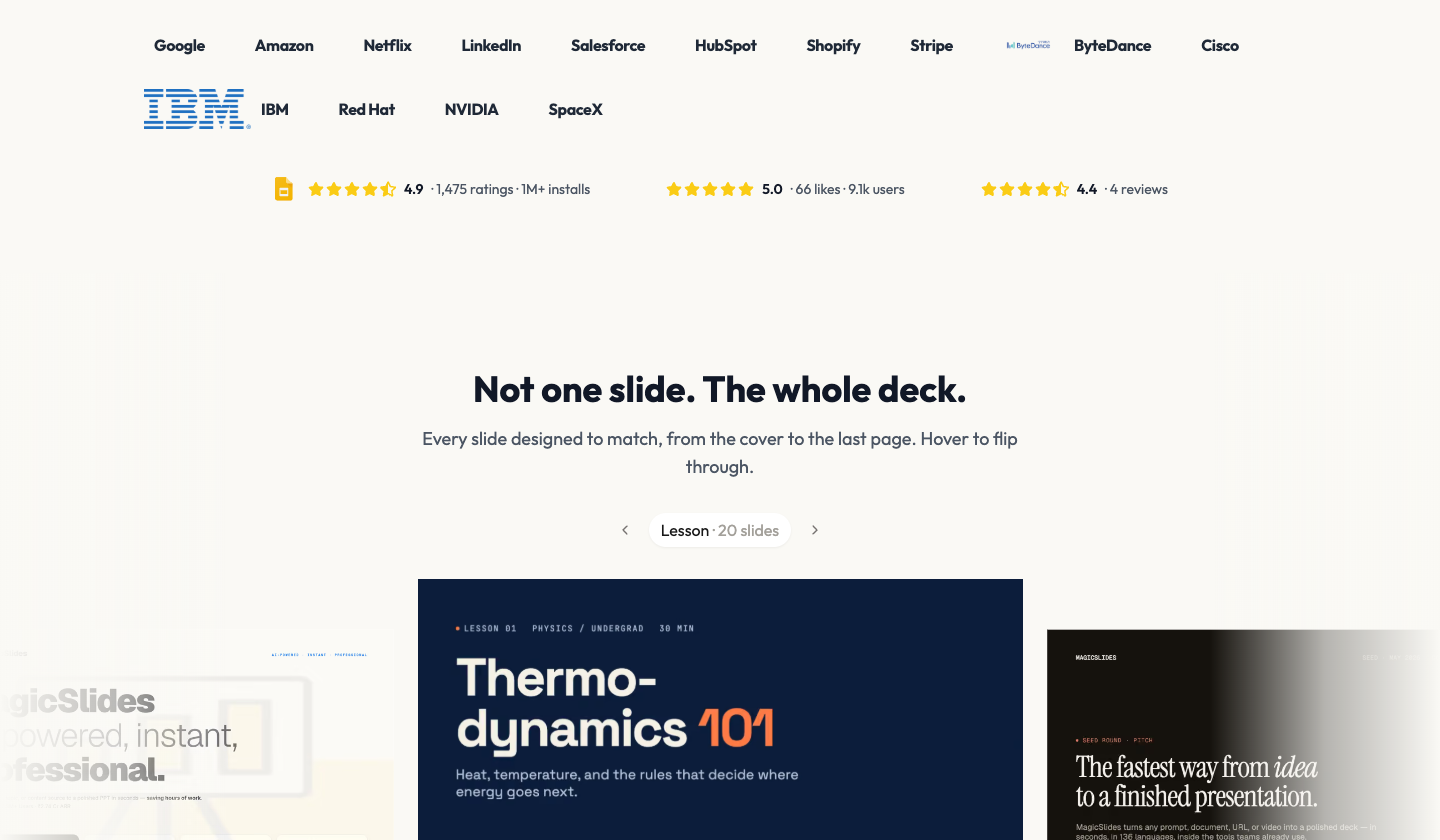
Plenty of new AI slide tools look slick until your boss asks for an editable Google Slides link or .pptx file. MagicSlides (magicslides.app), used by 2.6M+ professionals and 15,000+ schools across 10 million+ generated decks, works inside the formats teams already use. Drop in a prompt, PDF, Word doc, YouTube link, MP3 recording, Excel sheet, or even a screenshot of someone else's slide. Out comes an editable Google Slides, PowerPoint (PPTX), or PDF deck in 136+ languages. It plugs straight into Google Slides, Figma, ChatGPT, Chrome, and MCP. Starter decks are free, and watermark-free plans start at $6.67/month ($80/year).

MagicSlides at a Glance
| Attribute | Verified Details |
|---|---|
| Official Website | magicslides.app |
| Creator | Bootstrapped by Sanskar Tiwari (@IndianAppGuy, founder of IndianAppGuy Tech) |
| Input Sources Supported | Plain text prompt, PDF, DOC/DOCX, PPTX, JPG/PNG (Clone any slide), MP4, MP3 (Audio to slides), YouTube links, web URLs, and Excel data |
| Export Formats | Native Google Slides, PowerPoint (PPTX), and PDF |
| Integrations (9+) | Google Slides Add-on, Figma Plugin, ChatGPT GPT, Chrome Extension, Telegram Bot, Zapier, MCP Server, iOS & Android apps, and REST API |
| Pricing | Free starter access + 100 free API decks/mo; Essential at $6.67/mo ($80/yr, or $8/mo monthly) · Pro from $12+/mo |
Six Everyday Chores It Solves Beyond "Topic to PPT"
Solo founder Sanskar Tiwari unpacked how MagicSlides took off in the Google Workspace Marketplace during Starter Story's deep dive into his 25+ micro-apps. Instead of competing on flashy animations, it automates boring file conversions:
- YouTube & Audio to Slides: Paste a 45-minute lecture URL or upload a meeting
MP3. You get clean summary slides without transcribing a word. - PDF or Word Report to Pitch Deck: Turn a 30-page research paper, syllabus, or client brief into a tight 10-slide summary.
- Clone Any Slide (
JPG/PNG→ EditablePPTX): Screenshot a great layout during a webinar and turn that flat image into editable text boxes and shapes. - Excel to Charts & AskPPT: Convert raw spreadsheet tables into chart slides (handy right after sharpening formulas on Excel Exercises), or query long decks with AskPPT.
- Use Your Own Company
PPTXMaster: Upload your brand template first so every generated slide matches your fonts and colors. - MCP & Free Developer API (
/agents): Builders get MCP agent support plus 100 free API decks a month, then$0.50per extra deck.
Free Starter vs. Essential ($6.67/Mo) and Pro Plans
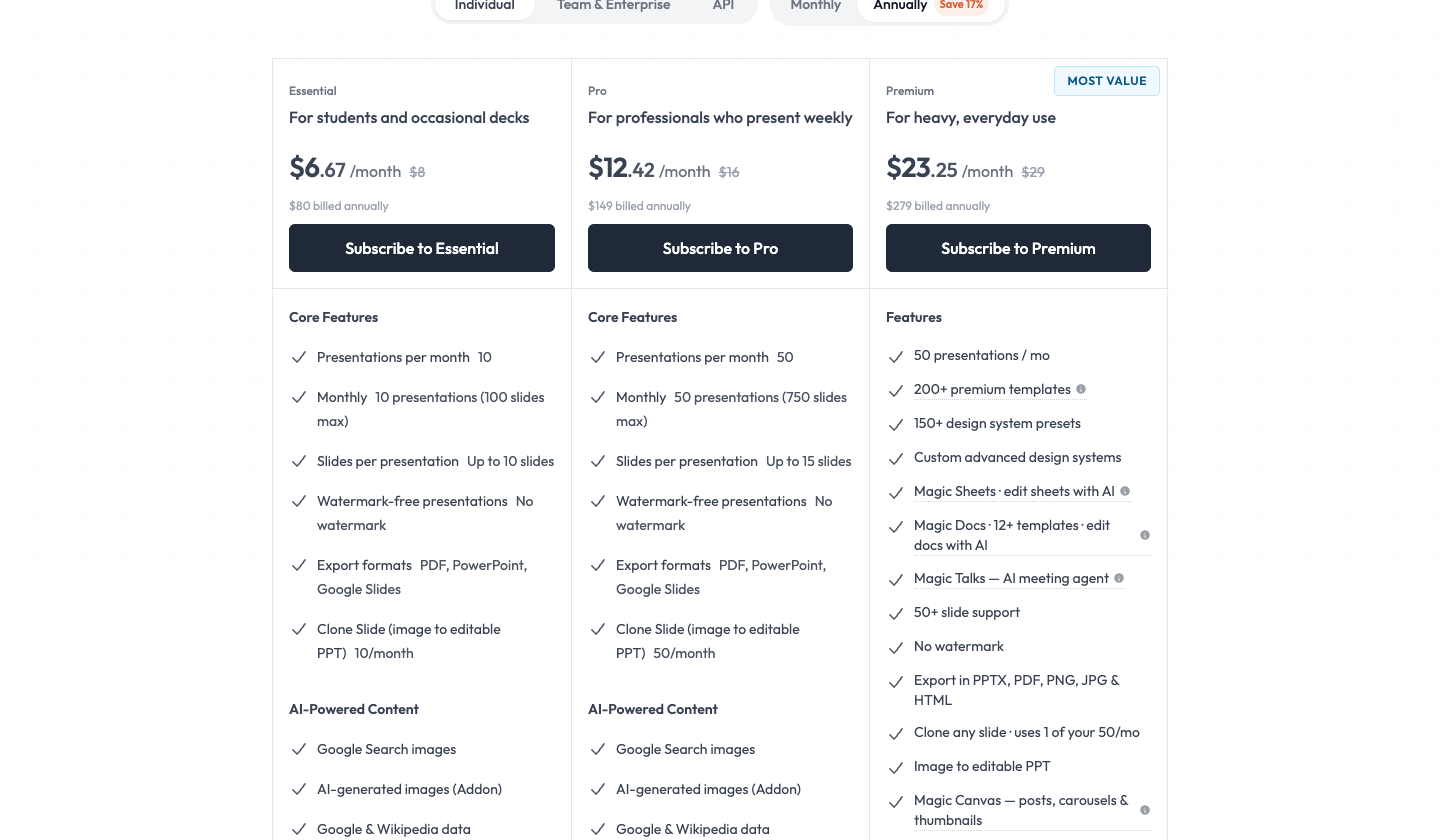
Pricing on magicslides.app/pricing scales by monthly deck volume and slide count per deck:
| Tier | Price | Monthly Allowance | Key Inclusions |
|---|---|---|---|
| Free Starter | $0 | Limited trial presentations | Test Google Slides add-on & web prompt-to-deck |
| Essential | $6.67/mo ($80/yr) or $8/mo | 10 presentations/mo (up to 10 slides each; 100 slides max) | No watermark, PDF/PPTX/Google Slides export, 10 Clone Slide uses/mo, Google/Wikipedia grounding, 100+ languages |
| Pro | ~$12–$15/mo | Higher weekly presentation volume & longer slide counts | Expanded slide caps, custom PPTX templates, priority AI generation |
| Developer API | 100 decks/mo Free, then $0.50/deck | Pay-as-you-go programmatic generation | Automated slide generation inside SaaS or internal tools |
Practical Limitations to Know First
- 10-Slide Ceiling on Essential: Paying
$6.67/monthremoves watermarks, but each presentation caps at 10 slides. Teachers or consultants building 25-slide lectures need the Pro tier. - Custom AI Art Costs Extra: Essential pulls real Google images and Wikipedia facts by default. Generating custom AI illustrations on every slide requires an add-on or higher plan.
- Plan on Five Minutes of Cleanup: Automated
.pptxbuilders handle 80% of outlining and structure. You'll still want to nudge text spacing on dense slides before walking into a boardroom.
MagicSlides vs. Gamma, Plus AI, and Canva
| Tool | Native Google Slides Add-On? | Best Input Strength | Entry Paid Price |
|---|---|---|---|
MagicSlides (magicslides.app) |
Yes (+ Figma, Chrome, MCP & PPTX) | Converting YouTube, PDF, audio & slide screenshots into real PPTX/Google Slides |
Free trial; $6.67/mo ($80/yr) |
Gamma (gamma.app) |
Exports to PPTX, web-native first | Scrollable modern web-card decks & interactive embeds | Free credits; ~$8–$15/mo |
Plus AI (plusdocs.com) |
Yes (Google Slides & PowerPoint) | Polished corporate slide layouts inside Google Workspace | 7-day trial; ~$10–$20/mo |
Canva Magic Design (canva.com) |
Exports to PPTX, Canva-native | Graphic-heavy marketing & classroom visuals | Free tier; ~$12.99/mo Pro |
Use Gamma if you present straight from a scrollable web link. Pick MagicSlides when your school or client demands native Google Slides or PowerPoint, especially when starting from YouTube videos, PDFs, or slide screenshots.
Questions About MagicSlides
Does MagicSlides run inside Google Slides?
That's how it originally took off—you can install the Google Slides Add-on from the Google Workspace Marketplace, or use its standalone web app, Chrome extension, Figma plugin, and mobile apps.
Can it turn a YouTube video or PDF into a PowerPoint file?
Paste a YouTube link or upload a PDF, DOCX, MP3, or MP4, pick your slide count and language (from 136+ options), and download an editable .pptx or Google Slides file.
What does "Clone Slide" actually do?
Upload a JPG or PNG screenshot of any slide you admire, and Clone Slide rebuilds its layout and text boxes as an editable slide. Essential includes 10 clones a month.
Is the API really free for small projects?
Developers get 100 generated presentations per month free over the REST API or MCP server, with extra volume billed at $0.50 per deck.
Source review: This guide is based on MagicSlides' live website (magicslides.app and /pricing), published integration documentation, and founder Sanskar Tiwari's portfolio interview on Starter Story, checked on November 16, 2026.
Websites in this guide
Open each Reemo listing for its purpose, access details, and official website.
- MagicSlidesTurn prompts, documents, and media into editable slide drafts for Google Slides, PowerPoint, and PDF workflows.