
Tweaking V-Ray shaders for three hours just to show a client oak floors is painful. Visualizee (visualizee.ai) skips CAD plugins and heavy GPU workstations altogether. Drop in a grey viewport screenshot from SketchUp, Revit, ArchiCAD, Rhino, or 3ds Max—or even a phone photo of an empty room—and get a photorealistic render in about 30 seconds. You just tell Vizzy, its chat assistant, what materials or lighting to swap while your walls and camera angle stay locked. New users can test it free with no credit card. Watermark-free commercial plans start at $20/month ($15/month billed yearly).
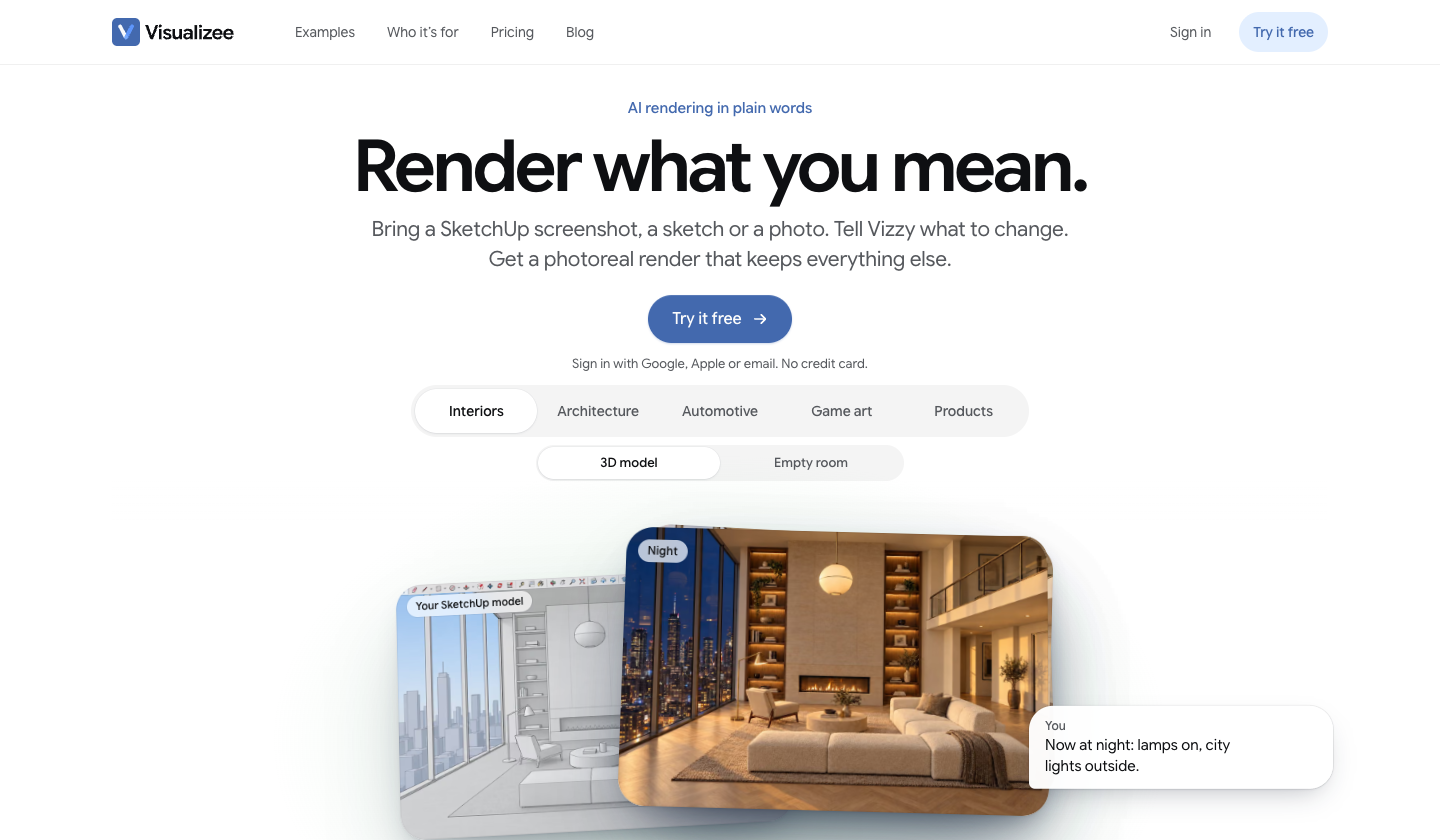
Visualizee at a Glance
| Attribute | Verified Details |
|---|---|
| Official Website | visualizee.ai (docs at visualizee.ai/docs · MCP server at visualizee.ai/mcp) |
| Supported Design Fields | Interiors, Architecture (Exteriors), Automotive, Game Art, and Industrial/Furniture Products |
| Compatible 3D Workflows | Any viewport screenshot (SketchUp, Revit, ArchiCAD, Rhino, 3ds Max, Blender, or SpacePlanner) — zero plugins to install |
| Free Trial | Sign in with Google, Apple, or email (no credit card required) for starter trial credits |
| Paid Tiers | Hobby ($20/mo or $15/mo yearly · ~60 renders), Pro ($40/mo or $30/mo yearly · ~160 renders + 4K + 1080p video + API), Max ($80/mo or $60/mo yearly · ~400 renders + 4K video) |
| Commercial Rights | Included with no watermark on all paid plans |
How Chatting With "Vizzy" Keeps Your Floor Plan Intact
Generic image generators like Midjourney make pretty moodboards, but architects cannot show them to clients. Midjourney invents extra windows, moves structural columns, and ignores your actual floor plan.
Founder @pobidowski walked through the fix in Starter Story's video on how one pivot took Visualizee from $100 to $10K+/month. Stripping away confusing node sliders in favor of plain-English chat made it click for working designers:
- Upload Any Screenshot or Sketch: Snip an untextured clay model from SketchUp or Rhino, snap an unfinished room, or upload a car sketch.
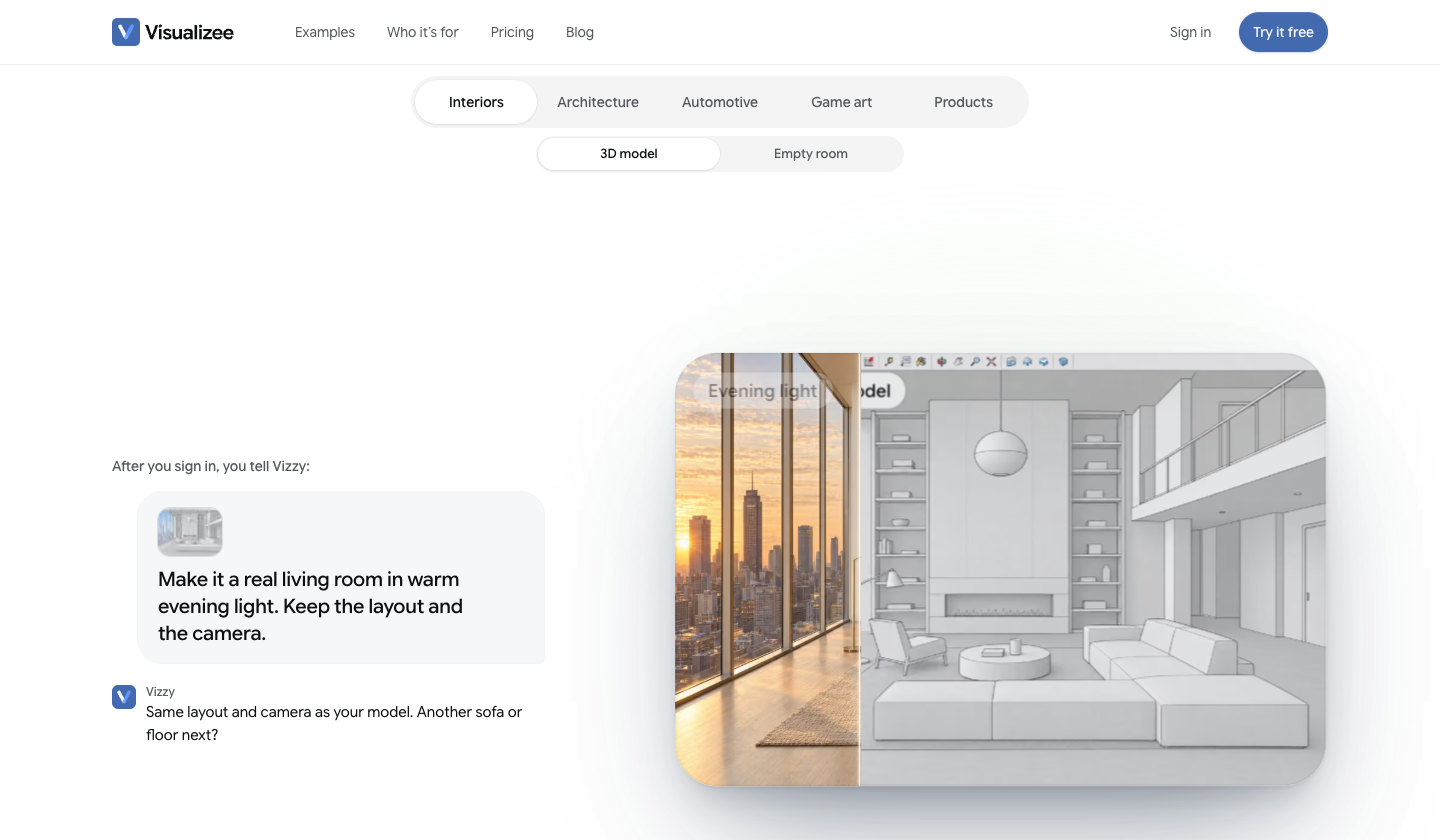
- Ask Vizzy in Plain Words: Type normal notes like "Bouclé sofa and herringbone oak floor in warm evening light" or "Same room and camera, now at night with lamps on."
- Revise Without Breaking Walls: Follow-up edits keep your stairs, ceiling lines, and camera framing steady while testing new stone, fabric, or landscaping in 30 seconds.
- Export 4K, Video, or Connect MCP: Paid plans unlock 4K stills, 720p to 4K camera-motion videos, 3D model exports, a REST API, and an
/mcpserver for automated pipelines.
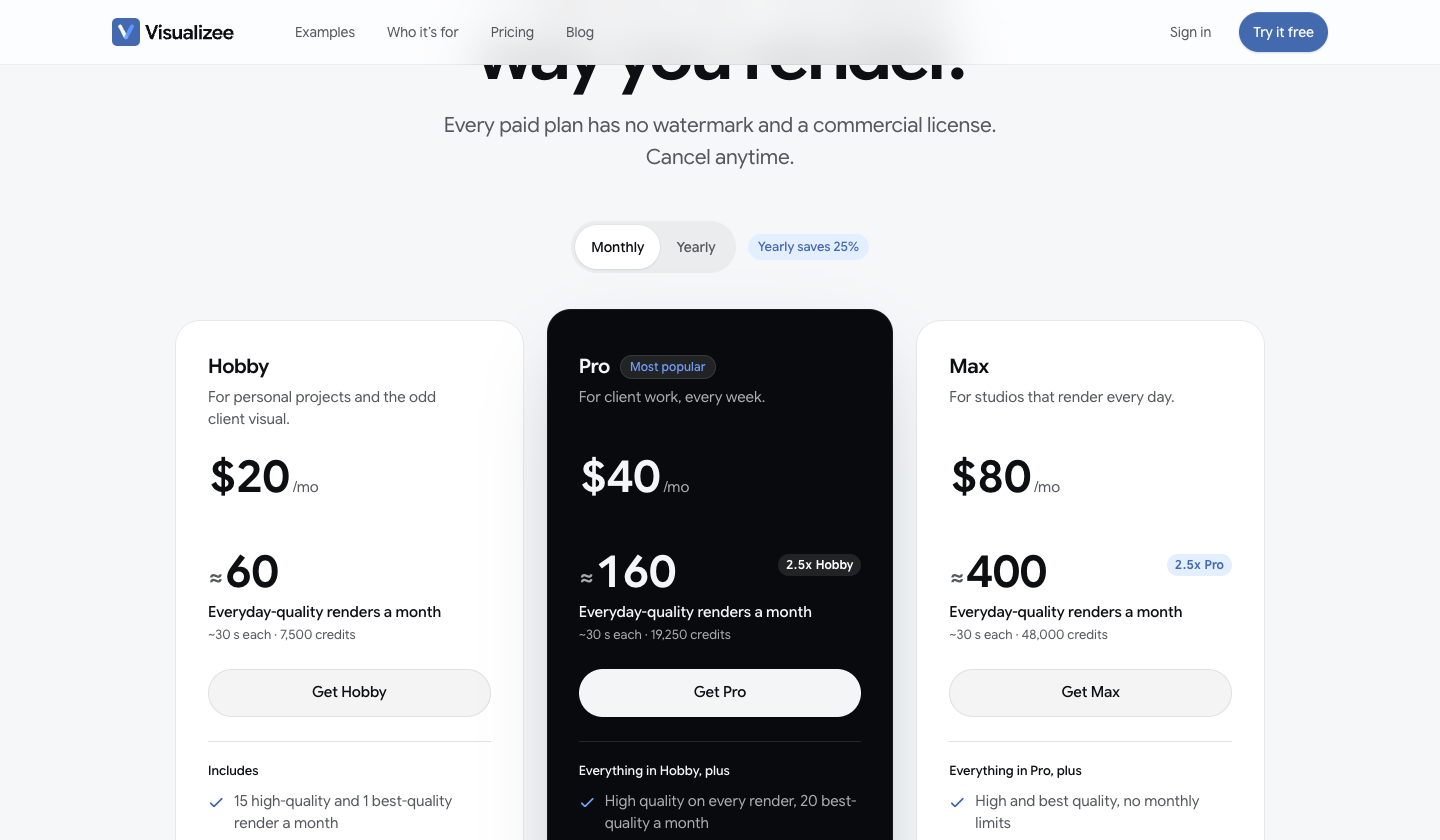
Pricing Breakdown: Hobby vs. Pro vs. Max
Every paid tier on visualizee.ai/pricing removes watermarks, includes commercial rights, and knocks 25% off when billed yearly:
| Plan | Monthly (Yearly) Price | Monthly Credits & Approx. Output | Max Resolution & Video | Batch & Developer Extras |
|---|---|---|---|---|
| Free Trial | $0 (no card needed) | Starter trial credits | Standard preview (watermarked, non-commercial) | Browser studio |
| Hobby | $20/mo ($15/mo yearly) | 7,500 credits (~60 everyday renders + 15 high + 1 best) | Images up to 2K · Video up to 720p | 4 renders at once · Commercial license |
| Pro (Popular) | $40/mo ($30/mo yearly) | 19,250 credits (~160 everyday renders; high quality default + 20 best) | 4K images · 1080p video & 3D models | 8 renders at once · Priority queue · API access |
| Max | $80/mo ($60/mo yearly) | 48,000 credits (~400 everyday renders; unlimited high/best cap) | 4K images & 4K video + 3D models | 16 renders at once · Studio volume |
Practical Catch-22s to Check First
- Login Comes Before Testing: You have to sign in with Google, Apple, or email before opening the Vizzy studio, though no credit card is needed.
- Built for Ongoing Client Work: Monthly plans (
$15–$80/mo) fit active studios. If you're only remodeling your own bedroom once and still need to draw the 2D floor plan first, SpacePlanner offers free room drawing plus one-off$3.99render packs. - Artistic Bounce Light, Not Engineering Lux Math: Like any diffusion renderer, Vizzy estimates realistic shadows visually. Don't use it for stamped daylight or electrical compliance calculations.
Visualizee vs. Vizcom, Midjourney, and V-Ray
| Tool | Preserves Exact 3D Viewport Geometry? | Setup & Hardware Needed | Best For | Starting Paid Price |
|---|---|---|---|---|
Visualizee (visualizee.ai) |
Yes (from any CAD screenshot) | Browser-only, zero CAD plugins | Architects, interior stagers & product designers iterating in plain English | Free trial; $20/mo ($15/mo yr) |
Vizcom (vizcom.ai) |
Yes (line-art & industrial sketch focus) | Browser / tablet stylus | Industrial, footwear & automotive sketch-to-render teams | Free tier; ~$39+/mo Pro |
Midjourney (midjourney.com) |
No (invents new layouts & walls) | Web / Discord | Early conceptual moodboards before a floor plan exists | $10/month Basic |
| V-Ray / Enscape | 100% physically ray-traced | Heavy desktop CAD plugin + dedicated RTX GPU | Final construction-grade material & lighting accuracy | ~$45–$80+/month |
Keep V-Ray or Enscape for final construction sign-off when every light fixture and tile is already modeled in Revit. Reach for Visualizee when your SketchUp file is still a grey block model and a client wants three lighting options before lunch.
Questions About Visualizee.ai
Do I need a plugin for SketchUp, Revit, or Rhino?
Zero plugins—Visualizee works off plain screenshots snipped from any 3D viewport (SketchUp, Revit, ArchiCAD, Rhino, 3ds Max, or Blender), so nothing ever gets installed inside your CAD app.
Can I use Visualizee renders in paid client decks?
Every paid plan (Hobby, Pro, and Max) strips watermarks and grants commercial usage rights. Free trial previews carry a watermark for testing only.
Does it only render interior rooms?
Interiors are huge, though it actually covers five tracks: interiors, exterior buildings, automotive styling, game environments, and physical product design.
How fast does a render finish?
Standard renders wrap up in about 30 seconds in your browser. Paid plans let you run 4, 8, or 16 variations at once to compare materials side by side.
Source review: This guide is based on Visualizee's live website (visualizee.ai, /pricing, and /docs), checked on November 16, 2026, alongside founder insights from Starter Story. We verified published credit tiers, resolutions, and commercial licensing terms directly without running paid studio renders.
Websites in this guide
Open each Reemo listing for its purpose, access details, and official website.
- VisualizeeTurn SketchUp screenshots, hand sketches, and room photos into realistic AI architecture and interior renders in 30 seconds.