
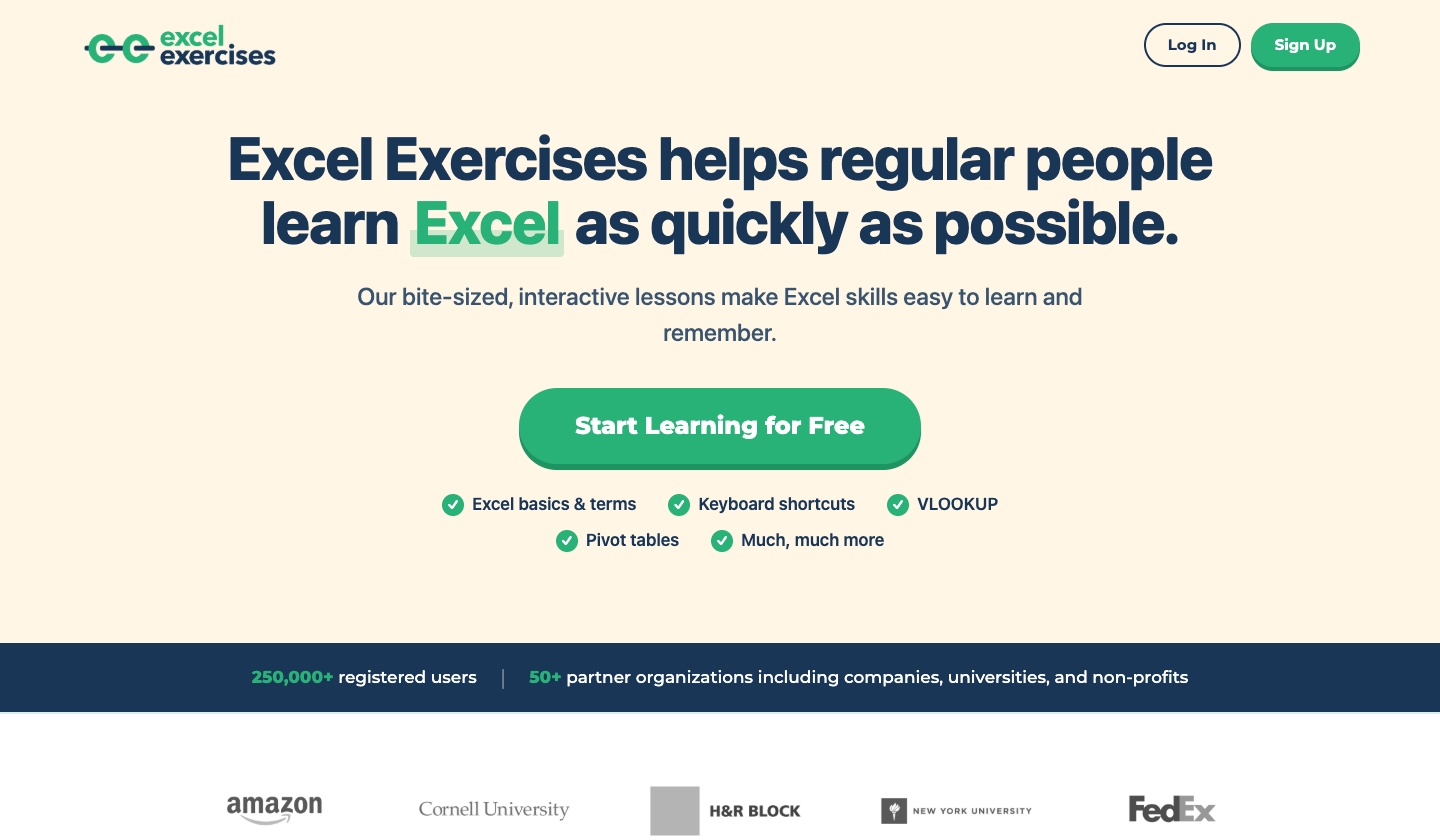
Watching a four-hour Excel video course rarely sticks. You nod along to VLOOKUP, close the tab, and blank out the second a live finance test starts. Excel Exercises (excelexercises.com), used by 250,000+ learners and 50+ partner universities and companies, skips video lectures altogether. Hit the starter button on the homepage and a working spreadsheet grid opens right in your browser. You don't need an account or a Microsoft Office license to jump in. You type real formulas (SUM, IF, SUMIFS, VLOOKUP) and press real keyboard shortcuts until muscle memory kicks in. Intro lessons cost $0, while a paid pass unlocks advanced modules, project workbooks, and certificates.
Excel Exercises at a Glance
| Attribute | Verified Details |
|---|---|
| Official Website | excelexercises.com (lesson dashboard at excelexercises.com/lessons.html) |
| Core Teaching Method | In-browser interactive spreadsheet simulator + physical keyboard shortcut drills (zero video lectures) |
| Signup Required? | No to launch introductory browser exercises; Yes to save daily streaks, appear on high-score leaderboards, or unlock full curriculum access |
| Topics Covered | Cell navigation, number formatting shortcuts, COUNT/SUM/IF/SUMIFS, wildcards, VLOOKUP, Pivot Tables, and downloadable multi-sheet projects |
| Pricing Model | Freemium — introductory lessons free; paid full-access tier unlocks all advanced modules, downloadable practice files, and completion certificates |
| Companion Track | Also links a sister SQL practice track (excelexercises.com/sql.html) for analysts learning database queries alongside spreadsheets |
Why Hands-On Drills Beat Video Tutorials
Finance practitioner Jake (@shimota_tweets) built the site after seeing analysts freeze up on live spreadsheet tests. As covered in Starter Story's feature on profitable "boring" learning sites, active recall beats passive watching every time.
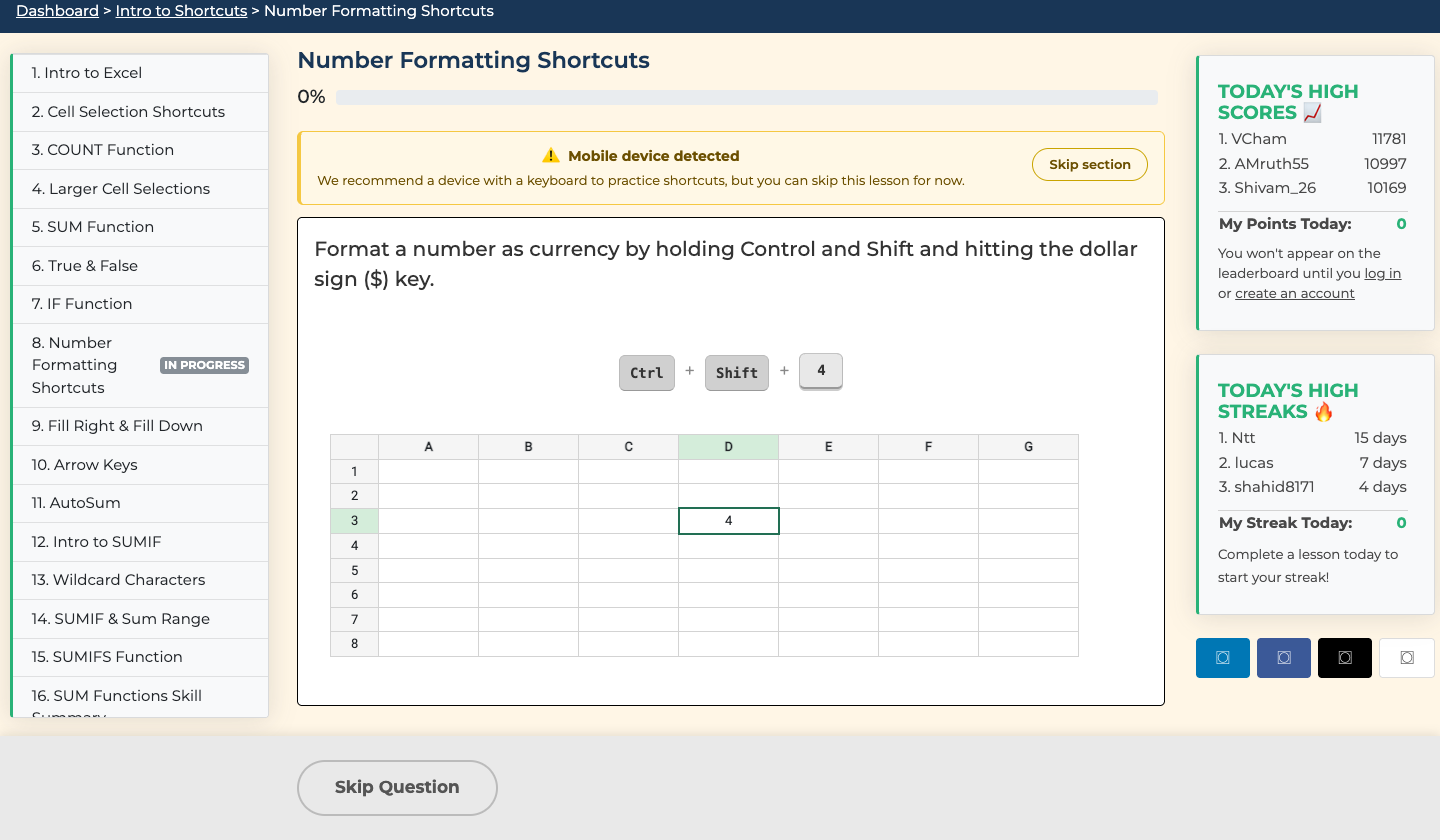
Every module on excelexercises.com/lessons.html works like an interactive coding sandbox:
- Quick 45-Second Concept Card: Explains one function, syntax rule, or shortcut with zero fluff.
- Live Cell Grid: Click straight into cells (
A1:G8) and type the working formula or hit the exact key combo, likeCtrl + Shift + 4for currency. You only move on when your formula returns the right answer. - Spaced-Repetition Flags: Finished lessons show three status badges: Good (
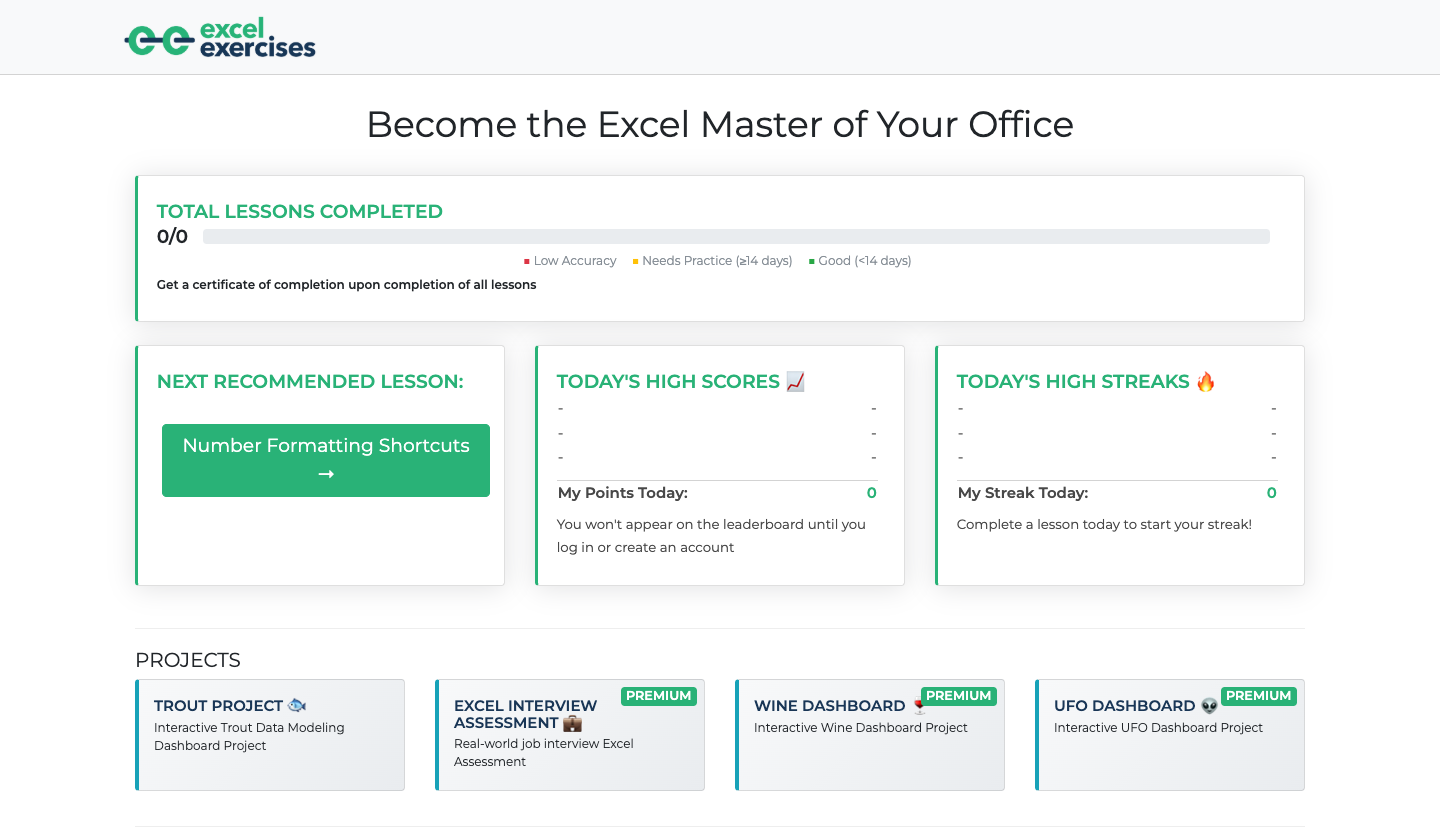
<14 days), Needs Practice (≥14 days), or Low Accuracy. It takes ten seconds to see what to brush up on before an interview. - Daily Streaks & Real Workbooks: Daily scoreboards sit next to downloadable multi-tab
.xlsxfiles (like the Trout Project) for practicing inside desktop Excel.
Free Lessons vs. Paid Full Access
| Feature | Free Guest / Free Account | Full Paid Curriculum |
|---|---|---|
| Introductory Formula & Shortcut Lessons | Included (no signup needed to test) | Included |
| In-Browser Interactive Spreadsheet Grid | Included | Included |
| Daily Streak & Leaderboard Tracking | Included (with free account) | Included |
Advanced Functions (VLOOKUP, SUMIFS, Pivot Tables) |
Preview / gated after intro modules | Full access |
| Downloadable Real-World Excel Projects | Locked | Included |
Certificate of Completion (/certification.html) |
Locked | Included upon finishing all lessons |
Practical Catch-22s Before You Start
- Use a Physical Keyboard for Shortcut Drills: Tablet touchscreens and remapped Chromebook keys often hijack browser shortcuts. The simulator warns you upfront and lets you skip shortcut questions if your OS steals the keystroke.
- Web Grids Skip Complex Ribbon Menus: Typing drills are great for formula syntax and speed. Still, Power Query, VBA macros, and custom chart styling require practicing inside desktop Excel for Windows (note that Mac Excel maps
CmdandCtrlshortcuts differently). - Completion Certificate vs. Microsoft Exams: Finishing every module earns a clean Excel Exercises certificate for LinkedIn, though that's separate from Microsoft's proctored
MO-200 / MO-201exams.
Excel Exercises vs. SQLBolt, DataCamp, and Video Courses
| Platform | Format | Primary Focus | Cost |
|---|---|---|---|
Excel Exercises (excelexercises.com) |
Interactive browser spreadsheet cells + shortcut drills | Fast muscle memory for Excel formulas, shortcuts & interview tests | Freemium (no-signup intro; paid full pass) |
SQLBolt (sqlbolt.com) |
Bite-sized browser SQL query boxes | Learning SELECT, JOIN, and aggregation SQL syntax by typing |
100% Free |
DataCamp (datacamp.com) |
Guided browser exercises + short videos | Broad Python, R, SQL, Power BI & spreadsheet career tracks | Monthly subscription (~$25–$39/mo) |
| YouTube / Coursera Courses | Long-form video lectures + optional .xlsx downloads |
Deep visual walkthroughs of complex dashboards & Power Query | Free (YouTube) / Subscription (Coursera) |
Start with Excel Exercises when you have an analyst assessment next week or want to ditch your mouse at work. It feels a lot like SQLBolt, which teaches SQL in an afternoon without installing a database. Save YouTube courses for later when you need multi-sheet Power Query dashboards.
Questions About Excel Exercises
Can I use Excel Exercises without Microsoft Excel installed?
Every interactive drill runs inside a simulated grid right in your browser, so you don't need an active Microsoft 365 subscription to practice formulas.
Is Excel Exercises free?
Introductory modules open right away at $0 with no signup or credit card. Unlocking the full curriculum (VLOOKUP, Pivot Tables, downloadable projects, and the certificate) requires upgrading to a paid pass.
Is Excel Exercises better on Windows or Mac?
Formula drills (SUM, IF, COUNT, SUMIFS, VLOOKUP) work the same on both systems. Shortcut drills match corporate Windows Excel conventions best, though Mac users can skip individual key combos that macOS intercepts.
Who gets the most out of Excel Exercises?
Students prepping for finance, accounting, or consulting interviews love it, and office teams use it for fast hands-on spreadsheet onboarding without sitting through multi-hour video lectures.
Source review: This guide is based on Excel Exercises' live website (excelexercises.com, /lessons.html, /certification.html, and active browser practice modules), checked on November 16, 2026, alongside founder context featured on Starter Story. We tested the zero-signup browser lessons directly without purchasing the paid certificate tier.
Websites in this guide
Open each Reemo listing for its purpose, access details, and official website.
- Excel ExercisesPractice formulas, VLOOKUP, pivot tables, and keyboard shortcuts in an interactive browser spreadsheet.